Create and invite
Open a broadcast, create the room, and send its HTTPS invite URL to your partner.
Run the broadcast on native Lichess, then invite a co-commentator with one browser link. Follow games and variations, share arrows, and hand over room admin—without making your guest install an extension.
Desktop Chrome & Edge 116+ · No Lichess token required
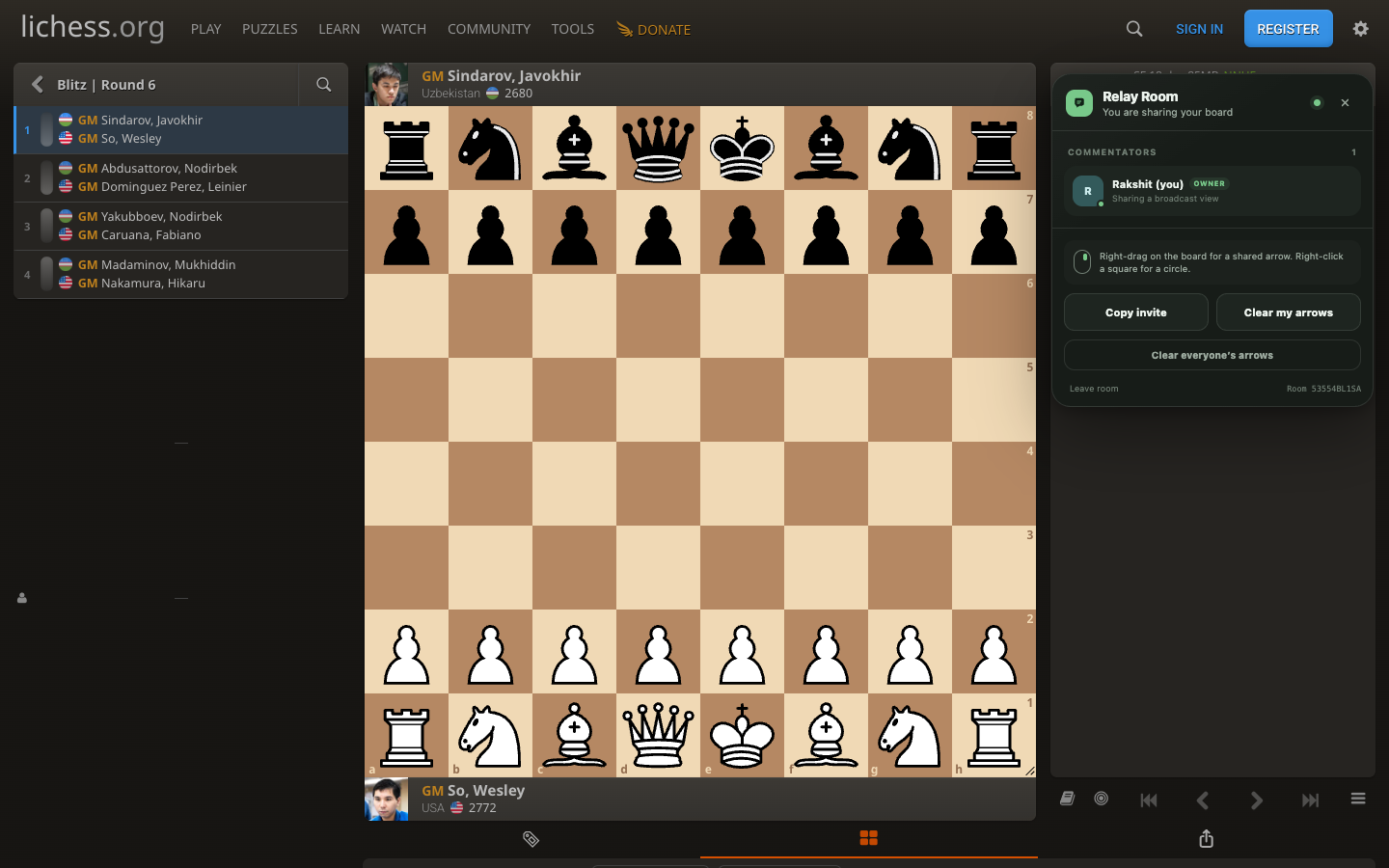
One shared commentary state
Follow relationships are directional. Either commentator can lead, and circular chains are rejected so the boards never fight each other.
Open a broadcast, create the room, and send its HTTPS invite URL to your partner.
They open the link—no extension needed. Either person can then follow the other.
Right-drag on either Chessground board. Arrows and circles appear for everyone in the room.
The real board plus an open guest
The host extension reads and writes Lichess’s active Chessground drawable shapes. The guest page uses the official open-source Chessground package with Lichess’s public broadcast feed. Shared shapes stay scoped to the exact round, game, and move. Version 1.2.0 includes legal local variations in both directions.
Install
Download and unzip the extension package.
Open chrome://extensions or edge://extensions.
Enable Developer mode, choose Load unpacked, and select the folder.
Open a desktop Lichess broadcast. Relay Room appears on the right.
Good to know
No. Relay Room does not edit the Lichess broadcast, PGN, or saved annotations.
No. The Lichess host installs it once; invited commentators join in a normal desktop browser.
Realtime room state runs on SpaceTimeDB Maincloud. Data views are limited to identities that joined the room.
No. This release is intentionally desktop-only for current Chromium browsers.
Ready for the next round?